 Maxxit
drag to install
Applications
 maxxit.Source on GitHub
 Read the complete installation and usage guide
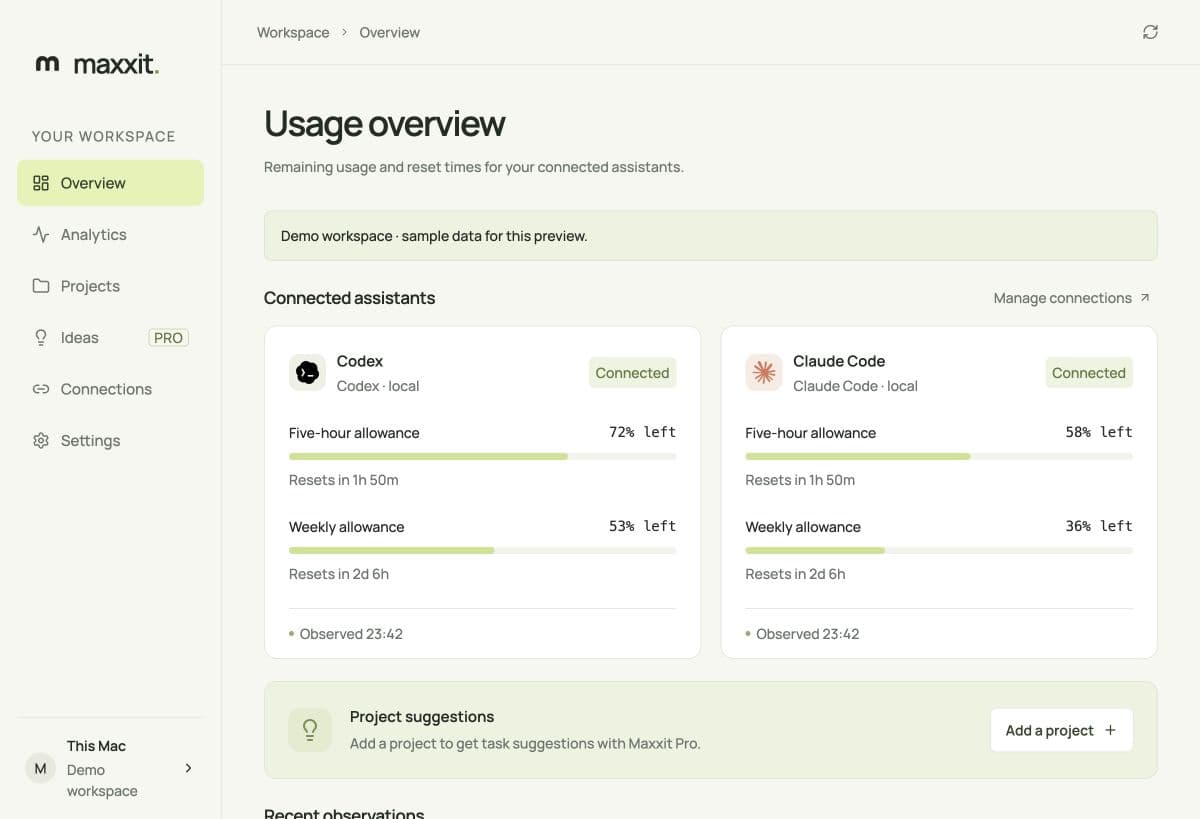
Keep Codex and Claude Code usage close. Free local analytics, right on your Mac.
MaxxitNo Terminal. No build tools. Just the Mac app.
Download the Mac installer above, then open the .dmg file in Downloads.
Move Maxxit to the Applications folder. Eject the installer when you're done.

Launch it from Applications. Open Connections and enable the coding assistant you already use.
See your remaining allowance and reset times. Your usage history stays on your Mac unless you choose to share it.
Updates come to you.
Maxxit checks for new versions and offers an update button in the app.
Yes. Sign in or create a free account before using the desktop. Local analytics remain free. Choose which data appears in your web workspace separately from hosted AI.
Use the official Codex or Claude Code tool and sign in there first. Open Connections in Maxxit, then choose Connect local usage. Maxxit keeps provider credentials in their own tools.
Use the latest published installer. If macOS blocks it, contact us with the exact message so we can help.
Get installation help